





















Back to Top
Network Switches
-
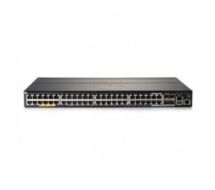 HPE JL322A Aruba 2930M 48G POE+ Switch L3
IN Stock
Best Selling
Fast Shipping
Brand: HPE SKU: JL322A Condition: NEW $6,002.99 $5,219.99 SAR 19574.96USD 5219.99
 -
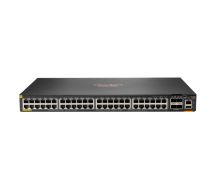 Hewlett Packard Enterprise Aruba JL728A 740W Managed L3 Gigabit Power over Ethernet (PoE)
IN Stock
Best Selling
Fast Shipping
Brand: HPE SKU: JL728A Condition: NEW $5,035.85 $4,379.00
SAR 16421.25USD 4379 -
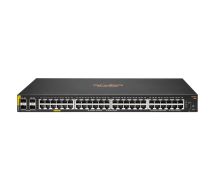 Hewlett Packard Enterprise JL675A Aruba 6100 48G Class4 PoE 370W Managed L3 Gigabit Power over Ethernet (PoE)
IN Stock
Best Selling
Fast Shipping
Brand: HPE SKU: JL675A Condition: NEW $3,553.50 $3,090.00
SAR 11587.5USD 3090 -
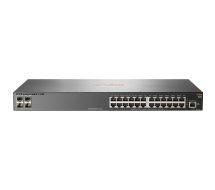 HPE Aruba JL259A 2930F 24G 4SFP Managed L3 Gigabit Ethernet
IN Stock
Best Selling
Fast Shipping
Brand: HPE SKU: JL259A Condition: NEW $2,644.99 $2,299.99
SAR 8624.96USD 2299.99 -
 HPE Aruba 2930F 48G PoE+ 4SFP Managed L3 Gigabit Ethernet (10/100/1000) 1U PoE
IN Stock
Best Selling
Fast Shipping
Brand: HPE SKU: JL262A Condition: NEW $2,546.57 $2,214.41
SAR 8304.04USD 2214.41 -
 Aruba JL254A 2930F 48G 4SFP+ Managed L3 Gigabit Ethernet
IN Stock
Best Selling
Fast Shipping
Brand: HPE SKU: JL254A Condition: NEW $2,485.86 $2,161.62
SAR 8106.08USD 2161.62 -
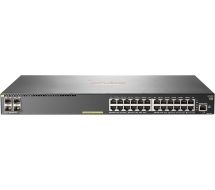 HPE Aruba JL261A 2930F 24G PoE+ 4SFP Managed L3 Gigabit Ethernet
IN Stock
Best Selling
Fast Shipping
Brand: HPE SKU: JL261A Condition: NEW $2,237.90 $1,946.00
SAR 7297.5USD 1946 -
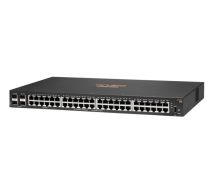 HPE JL676A Aruba 6100 48G 4SFP+ Switch PL-W8
IN Stock
Best Selling
Fast Shipping
Brand: HPE SKU: JL676A Condition: NEW $2,144.75 $1,865.00
SAR 6993.75USD 1865 -
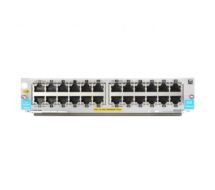 HPE J9986A 24-port 10/100/1000BASE-T PoE+ MAC sec v3 zl2 Module network switch module Gigabit Ethernet
IN Stock
Best Selling
Fast Shipping
Brand: HPE SKU: J9986A Condition: NEW $2,089.77 $1,817.19
SAR 6814.46USD 1817.19 -
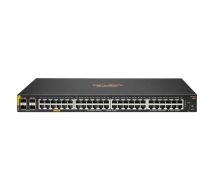 HPE R8N85A Aruba 6000 48G Class4 PoE 4SFP 370W Switch
IN Stock
Best Selling
Fast Shipping
Brand: HPE SKU: R8N85A Condition: NEW $1,553.65 $1,351.00
SAR 5066.25USD 1351
What are Network Switches, their Different Types, and How to Choose Them
If you are looking to establish a business network in Saudi Arabia or you want to upgrade your home network, you will need network switches. Though every network administrator based in Saudi Arabia and beyond speaks about the urgency of installing these switches, what exactly are they, and why does your network need them in the first place?
Answers to these questions surrounding the basics of Ethernet switches is crucial to understanding, which would help you to make a better decision regarding these switches for the network.
In this article, we are going to discuss ins and outs of Ethernet switches, including their types. In the end, we will also suggest top network switches in the KSA that are suitable for home, business, and industrial networks in Riyadh and other major cities/regions of Saudi Arabia.
Let’s get the ball rolling.
What are Network Switches?
Simply speaking, Ethernet switches are hardware devices that are responsible for relaying data from the network to the destination endpoint through MAC address identification, packet switching, and a multiport bridge system.
Switches receive and forward data from and to one device, that device can be another switch, or a router, or a computer. They link devices, which leads to the sharing of resources; therefore, they play a key role in connecting network devices and promoting collaboration within and outside firms and corporations.
Ethernet switches are different from routers and network hubs. You need to understand their differences for a better and deeper understanding of networking for your home or business in Saudi Arabia.
Network Switches vs Routers vs Hubs:
Here is a table showing their differences.
|
Features |
Network Switches |
Routers |
Hubs |
|
Function |
Forwards data to specific device using MAC address |
Routes data between different networks using IP addresses |
Broadcasts data to all connected devices |
|
OSI Layer |
Data Link Layer (Layer 2) |
Network Layer (Layer 3) |
Physical Layer (Layer 1) |
|
Network Segment |
Separate collision domains for each port |
connects multiple networks and separates broadcast domains |
Single collision domain for all ports |
|
Data Transmission |
Full duplex (simultaneous send and receive) |
Full duplex, directing packets to a specific network |
Half duplex (transmission only one way at a time) |
|
Security |
Higher sends data only to the intended recipient |
High, includes filtering, NAT, and firewall capabilities |
Low, sends data to everyone |
|
Speed |
Typically 10Mbps to 100Gbps (varies by model) |
Varies, supports high-speed routing |
typically 10Mbps to 100Mbps |
|
Cost |
More costly than hubs |
Cheapest among the three |
Most expensive |
|
Use cases |
small home offices to large networks where network speed and efficiency are prioritized |
Rarely used in networks, suitable for small, simple LANs or legacy systems |
Connects LANs, WANs, and provides internet connectivity |
Types of Network Switches:
Given the fact that these switches perform a critical role in network management, administration, monitoring, and troubleshooting, multiple types of switches are available in the KSA market.
-
Managed Network Switches
-
Unmanaged Network Switches
-
Smart Network Switches
-
PoE Switches
-
Layer 2 vs Layer 3 switches
Let’s discuss each of them one by one.
-
Unmanaged Ethernet Switches:
Unmanaged network switches are the most basic switches, offering few configuration options and little customization. They are more suitable for grouping PCs and network devices on a network; therefore, they are installed for small LANs.
Unmanaged switches are the cheapest switches available in Saudi Arabia and are known for offering simple networking solutions.
-
Managed Network Switches:
Managed Ethernet switches are the most advanced switches. They offer hundreds of configuration options, making them suitable for large enterprises and industrial-grade networking. They support complex configuration methods, enabling network administrators use a command-line interface (CLI) for network configuration, monitoring, control, troubleshooting, and the like.
Managed switches support full control over network traffic and they can also customize each Ethernet port, enabling them to get maximum efficiency over data traffic. Therefore, they are more suitable for the Giagbit standard of Ethernet rather than traditional Fast Ethernet networking.
They support VLAN or Virtual Local Area Network, allowing users to segment the network for further control over traffic and improved network security.
Spanning Tree Protocol (STP) is another major feature, allowing network users to perform Quality of Service( QoS) for better utilization of bandwidth for mission-critical applications.
|
Features |
Unmanaged switches |
Managed switches |
|
Security |
Basic physical security only |
Advanced (802.1X, ACLs) |
|
Configuration |
Plug-and-play, no configuration |
Customizable (VLAN, QoS, security) |
|
Monitoring |
Not supported |
Supports SNMP, remote monitoring |
|
Scalability |
Limited |
Stacking, VLAN segmentation |
|
Use cases |
Home offices, small networks |
Networks requiring control and security |
-
Smart Switches:
Smart Ethernet switches are the sweet spot between unmanaged and managed switches. In fact, they are a type of managed switch with a limited number of management options. You can access a handle of configuration settings, unlike a managed one that offers a comprehensive range of options.
They come with more automated configuration options than managed ones; however, they support some customization capabilities, including virtual LANs (VLANs), service settings, and configuration through a graphical user interface (GUI).
-
Power Over Ethernet or PoE Switches:
Power Over Ethernet or PoE switches support Ethernet cables that can transmit both data and power through one cable, eliminating need for separate data and power cables in any network infrastructure. In addition, you can power connected network devices such as routers, access points, IP cameras, VoIP phones, or other switches as well.
Layer 2 vs Layer 3 Switches:
Layer 2 switches are capable of sending data packets to devices using the MAC address. Layer 2 switches can only transmit data packets from one port to another or a VLAN; however, they need a connection to a router that uses an IP address for routing data.
Layer 3 switches are advanced switches that combine the functionalities of routers and switches into one device. Layer 3 switches are dubbed as multilayer switches and they are recommended for those networks with multi-VLAN segmentations.
Here is a table showing the differences between layer 2 and layer 3 switches.
|
Features |
Layer 2 switches |
Layer 3 switches |
|
OSI Layer |
Layer 2 (Data Link) |
Layers 2 and 3 (Data Link and Network) |
|
Routing Capability |
No |
Yes (Inter-VLAN and subnet routing) |
|
Forwarding Basis |
MAC addresses |
MAC + IP addresses |
|
Performance |
Faster for local switching |
slight latency due to the routing process |
|
Security Features |
Basic |
Advanced (ACLs, QoS, Policy-based routing) |
|
Broadcast Domain |
Single broadcast domain |
Multiple broadcast domains via VLANs |
|
Use Case |
Simple LANs, small networks |
Large networks, VLAN segmentation, and routing |
Key Factors to Consider Before Choosing an Ethernet Switch:
Here are some factors that you determine your choice regarding the best switches you can purchase online in KSA.
Port Count & Speed:
Port configuration is the most important consideration. You need to choose a switch that comes with the required number of ports. For instance, you can find 5-port switches, 8-port switches, 16-port switches, 24-port switches, and 48-port switches in the KSA online and physical markets.
As a thumb rule, small offices require 5- and 8-port switches, whereas large offices may need 24- or 48-port configurations for handling large file transfers, video conferencing, or cloud applications to prevent bottlenecks.
Similarly, switches differ considerably when it comes to speed capacity. You can choose 10G, 2.5G, Gigabit, or 10/100 switch. Fast Ethernet switches or 10/100 switches are cost-effective, and multi-gigabit Ethernet switches are more suitable for large enterprises.
Intelligent Traffic Management:
Modern switches support Quality of Service (QoS), VLANs (including QinQ for double tagging), and IGMPv3/MLDv2 multicast. You can thus perform effective handling of diverse traffic types, ensuring low latency and efficient bandwidth usage. Likewise, they are also equipped with programmable packet parsers and classification engines, enabling users to future-proof the switches for years to come.
Support for Power Over Ethernet or PoE:
As earlier mentioned, PoE switches can help you provide data supply and power through single Ethernet cable. You can thus power PoE-compatible devices.
PoE can be of various types, including:
|
Features |
PoE (IEEE 802.3af) or Type 1 |
PoE+ (IEEE 802.3at) or Type 2 |
PoE++ (IEEE 802.3bt) or Type 3/4 |
|
Max Power per Port |
15.4 W (12.95 W to device) |
30 W (25.5 W to device) |
Type 3: 60 W (51 W to device) Type 4: 100 W (71 W to device) |
|
Voltage Range |
44–57 V |
50–57 V |
50–57 V |
|
Power Delivery Method |
2 pairs of wires |
2 pairs of wires |
4 pairs of wires |
|
Cable Type |
Cat5 or better |
Cat5 or better |
Cat5e or better is recommended |
|
Typical Use Cases |
Basic IP phones, cameras, APs |
Advanced IP phones, PTZ cameras, and higher power APs |
High-power devices like multi-radio APs, building automation, TVs, and small PCs |
Support for Requisite Features:
The support for required features can largely be determined by the class of switches you are buying: managed, unmanaged, or smart. However, depending upon brands, feature can differ from switch to switch. Therefore, you need to double-check when the switch in question meets your needs or not.
For instance, some switches support LACP, VLAN, QoS, IGMP snooping, and bandwidth control per port that can help you perform various tasks such as traffic management, troubleshooting, access controls, and monitoring.
Our Top Ethernet Switches You Can Buy Online in KSA in 2025:
|
Use Cases |
Recommended Switch |
Salient Features |
|
The best network switch on a budget |
TP-Link 16-Port Fast Ethernet Unmanaged Switch |
|
|
The best network switch for video |
|
|
|
The best high-powered network switch |
EnGenius ECS2552FP |
|
|
The best network switch for small businesses |
|
TP-Link TL-SG3210XHP-M2
Cisco Catalyst C1300-8MGP-2X
|
|
|
Wrapping Up:
Network switches are essential for any network infrastructure, whether for homes, startups, SME, or large enterprises. They play a key role in security, performance, flexibility, upgradability, and network management and configuration.
Therefore, you need to choose them with due consideration. In this regard, port configuration, supported network support, native layer 2/layer 3 specifications, VLAN, scalability, and centralized management should be given utmost consideration. Thanks for your reading.